
How to Increase Font Size in Text Widget in Tkinter
In this tutorial, we are going to see how to increase font size in text widget in Tkinter. The configure method of the Text widget specifies the properties of the text, such as the size, the font, etc. The font can be a tuple type or a Font object.
Method 1: How to Increase Font Size in Text Widget in Tkinter Using Font as Tuple
import tkinter as tk

gui = tk.Tk()
gui.geometry("300x200")

text = tk.Text(gui, height=10)
text.pack()

text.configure(font=("Times New Roman", 20, "italic"))

gui.mainloop()
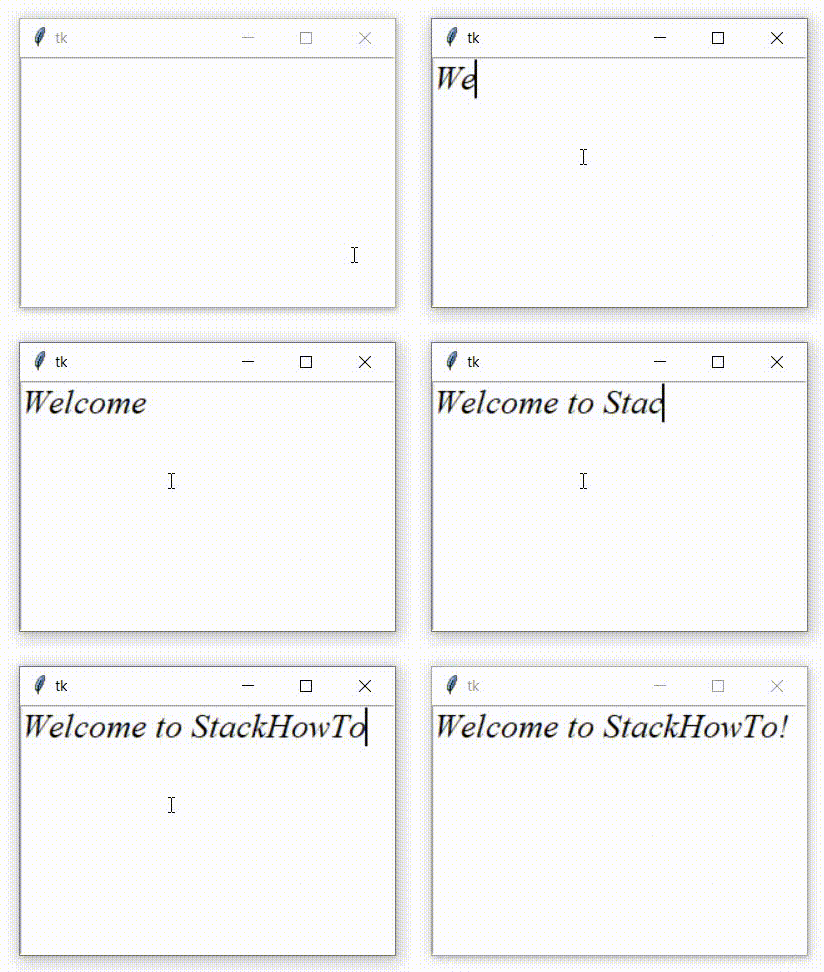
Output:
Method 2: How to Increase Font Size in Text Widget in Tkinter Using Font as Object
import tkinter as tk
import tkinter.font as tkFont

gui = tk.Tk()
gui.geometry("300x200")

text = tk.Text(gui, height=10)
text.pack()

myFont = tkFont.Font(family="Times New Roman", size=20, weight="bold", slant="italic")

text.configure(font = myFont)

gui.mainloop()
Output: