How to Get the Tkinter Label Text
In this tutorial, we are going to see how to get the Tkinter label text by clicking on a button in Python.
How to Get the Tkinter Label Text Using cget() Method
The Label widget does not have a get() method to get the text of a Label. It has a cget() method to return the value of the specified option.
label.cget("text")
It returns the ‘text’ property of the Label object.
Complete example:
import tkinter as tk

def read():
	print(label.cget("text"))

root = tk.Tk()
root.geometry("200x100")

label = tk.Label(root, text = "Welcome to StackHowTo!")
button = tk.Button(root, text="Read the Label Text", command=read)

button.pack(pady=10)
label.pack()

root.mainloop()
Output:
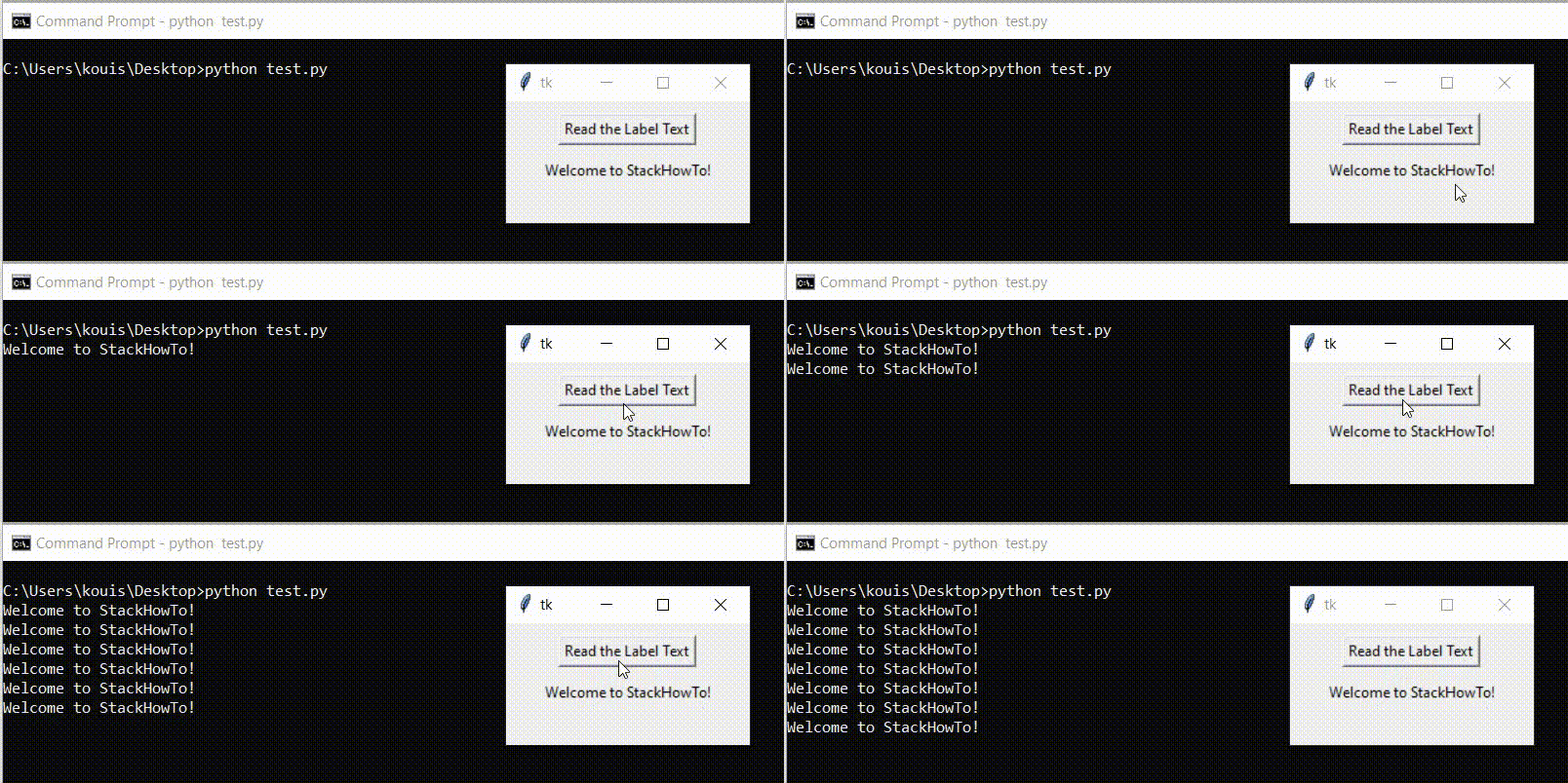
There is another alternative to get the text of a Tkinter label. Instead of using the cget() method, a label object is also a dictionary, so we can get its text by accessing the “text” key.
import tkinter as tk

def read():
	print(label["text"])

root = tk.Tk()
root.geometry("200x100")

label = tk.Label(root, text = "Welcome to StackHowTo!")
button = tk.Button(root, text="Read the Label Text", command=read)

button.pack(pady=10)
label.pack()

root.mainloop()
Output: